
Today we are going to know about “How to change SSH port number in linux”.
1.First connect to your server via SSH using terminal emulator (PUTTY ).
2.Changing of the SSH port number has to be done in sshd_config file.
And the file “sshd_config” will be in the path “/etc/ssh/”, So we have to access the path using the cd command .
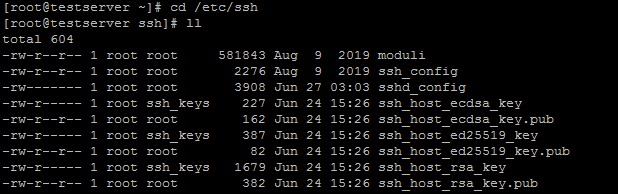
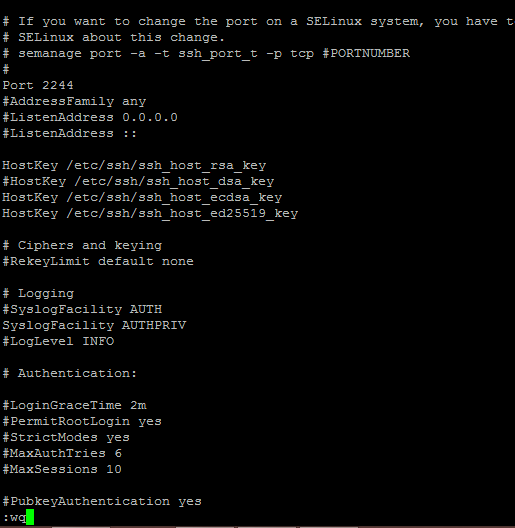
3.Now use vi editor command to edit the file “sshd_config” and press “i” change the port number.

4.Here I am using 2244 instead of the default port 22.
5.Now Save and close the file using press “ESc” key and type :wq and press enter..
6.Make sure the port is allowed in your firewall and restart the sshd service to change the ssh port in Linux.
