
Hi folks hope everyone doing great with your WordPress .suddenly if you forgot your WordPress password then how to change that ? and today we are going to see about WordPress Password changing method.
The most common password resetting method that everyone knows is using “Lost your Password ” option.
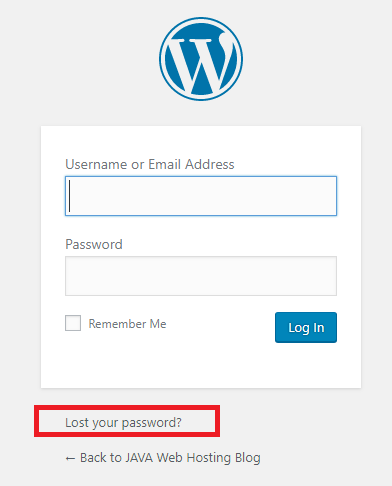
But in some cases If we forgot the mail id and username so that it can’t changed easily now.
okay then is there any other methods to reset the password ?
Yes you can reset the your WordPress password using PhpMyadmin.
Now let us see the WordPress Password changing method through PhpMyadmin
Login > cPanel of your WordPress hosting account. Next, you need to click on the phpMyAdmin icon under the database section.
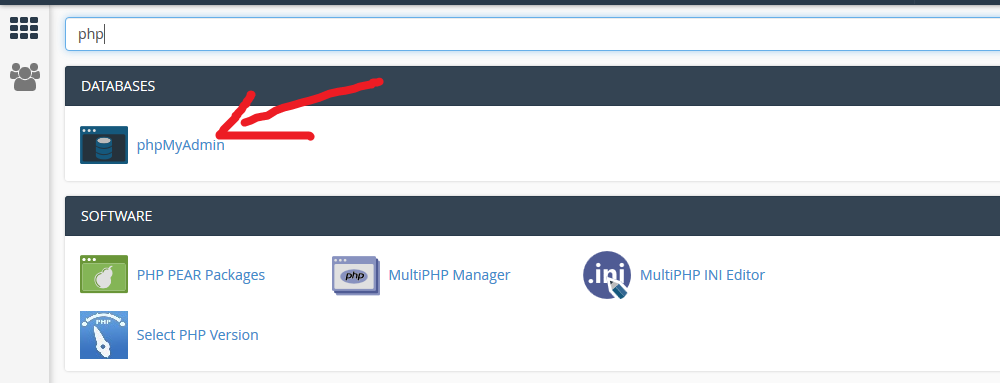
And this will redirects you to the phpMyAdmin where you need to select your WordPress database.
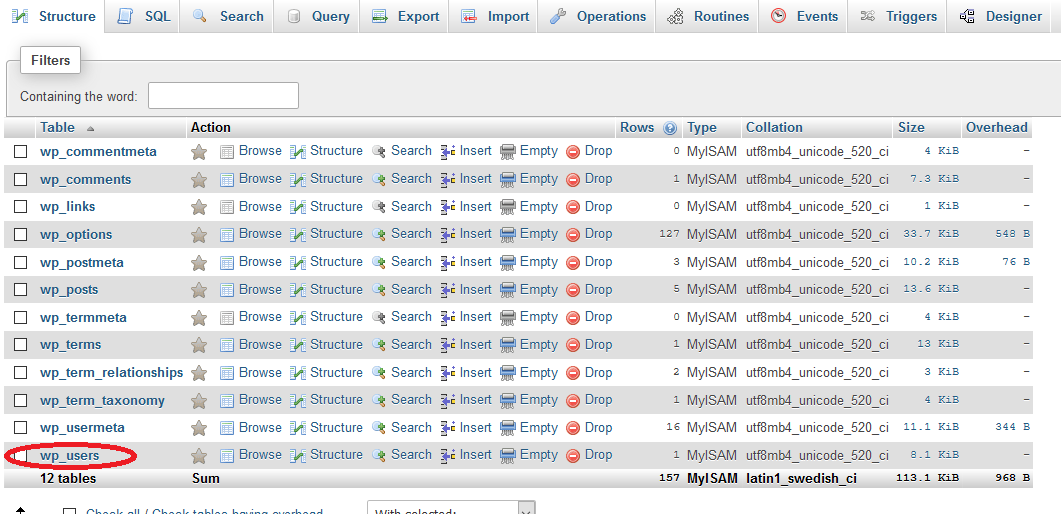
You will now see the list of tables in your WordPress database. Now you need to look for the ‘{table-prefix}_users’ table in this list and click on the ‘Browse’ link next to it
Note: Table names in your WordPress database may have a different table prefix than the one we are showing in our screenshot.
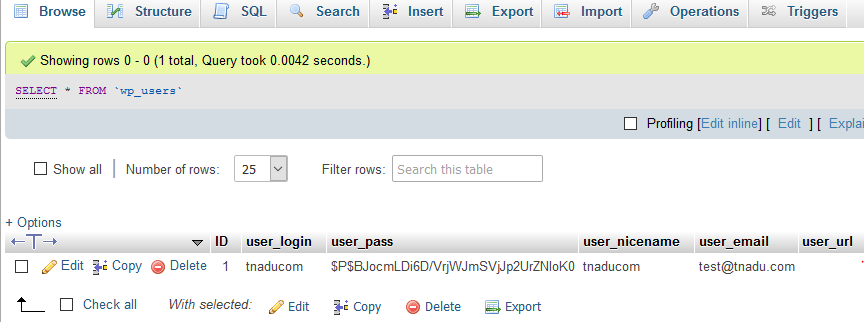
You will now see the rows in your WordPress users table. Go ahead and click on the edit button next to the username where you want to change the password.

PhpMyAdmin will show you a form with all the user information fields.
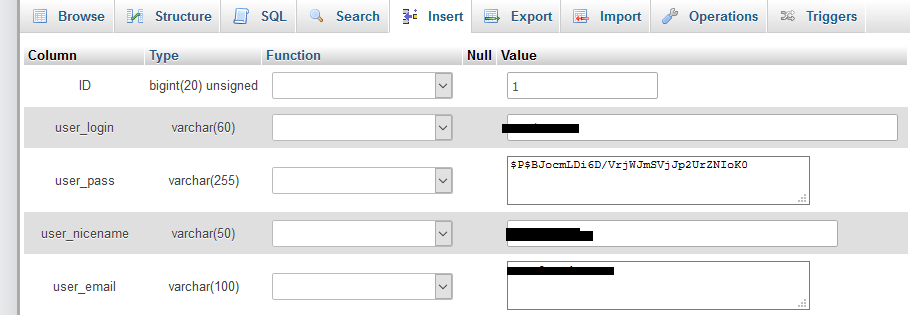
You will need to delete the value in the user_pass field and replace it with your desired password . Under the function column, select MD5 from the drop down menu and click on the Go button.
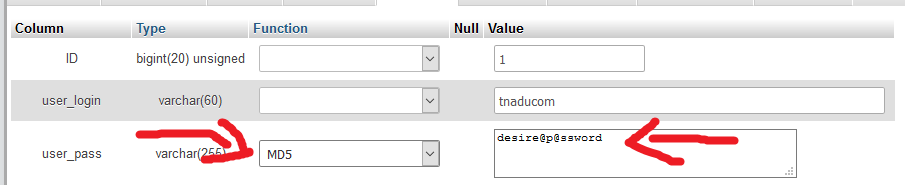
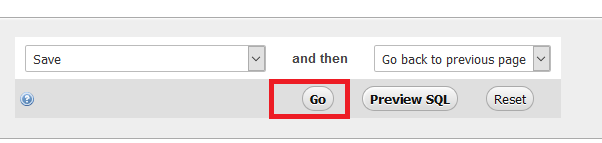
Your password will be encrypted using the MD5 hash and then it will be stored in the database.
Ok and now everyone learned the WordPress Password changing methods, so here after if we got stuck in middle of changing the password without knowing the mail id then you can use the above WordPress Password changing method and change your password for WordPress .
So now nothing can stop you from accessing your WordPress dashboard even if you have forgot/missed your WordPress Password .